



Microsoft Copilot
As a strategic Microsoft partner, we help you leverage AI to save time, boost
productivity, and enhance job satisfaction in your business.
LEAVE THE BORING WORK TO AI
Your team is drowning in emails, repetitive tasks, and slow manual processes? Let AI take over the busy work. With Copilot, your AI-powered assistant, routine tasks like drafting emails, summarizing documents, and generating reports happen effortlessly — freeing your team to focus on strategy, innovation, and decision-making. Let Sii help you integrate Copilot to your everyday challenges and experience an immediate productivity boost.
ACHIEVE MORE WITH SII x MICROSOFT COPILOT
Productivity enhancement
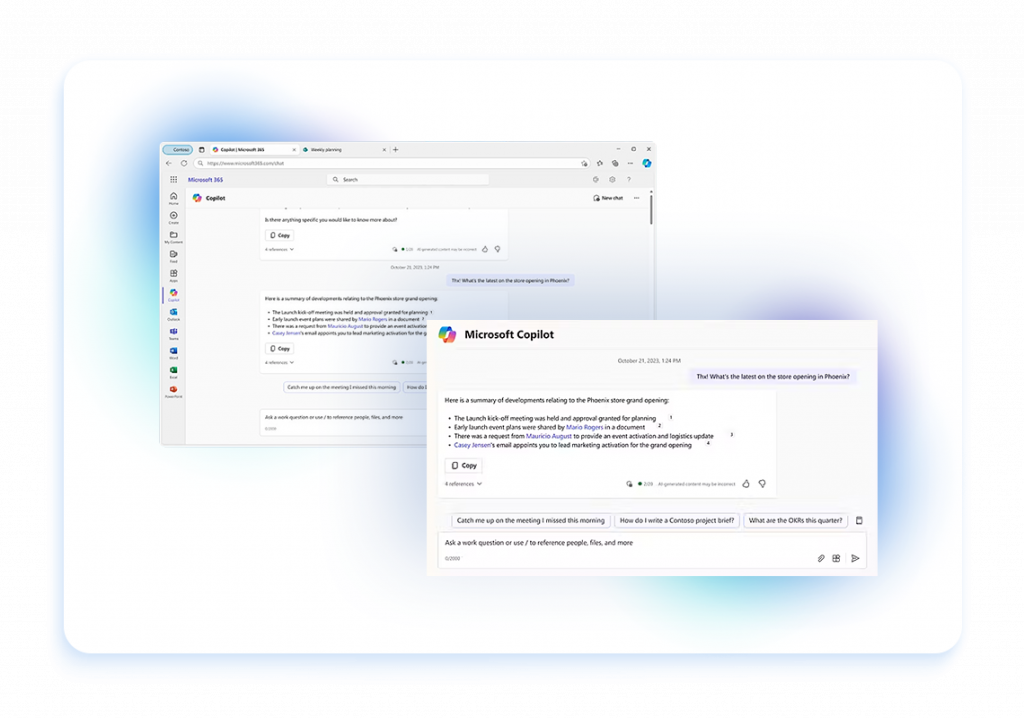
Tired of repetitive tasks slowing your team down? Sii Microsoft specialists integrate Microsoft Copilot to automate routine processes like drafting emails, generating reports, and summarizing meetings. Instead of spending hours manually creating documents, your employees can leverage AI to get results in seconds—allowing them to focus on strategic, high-value work. Our AI consultants will guide your team to enhance efficiency with Microsoft tools and easily interact with data to answer questions in real-time.
Improved collaboration
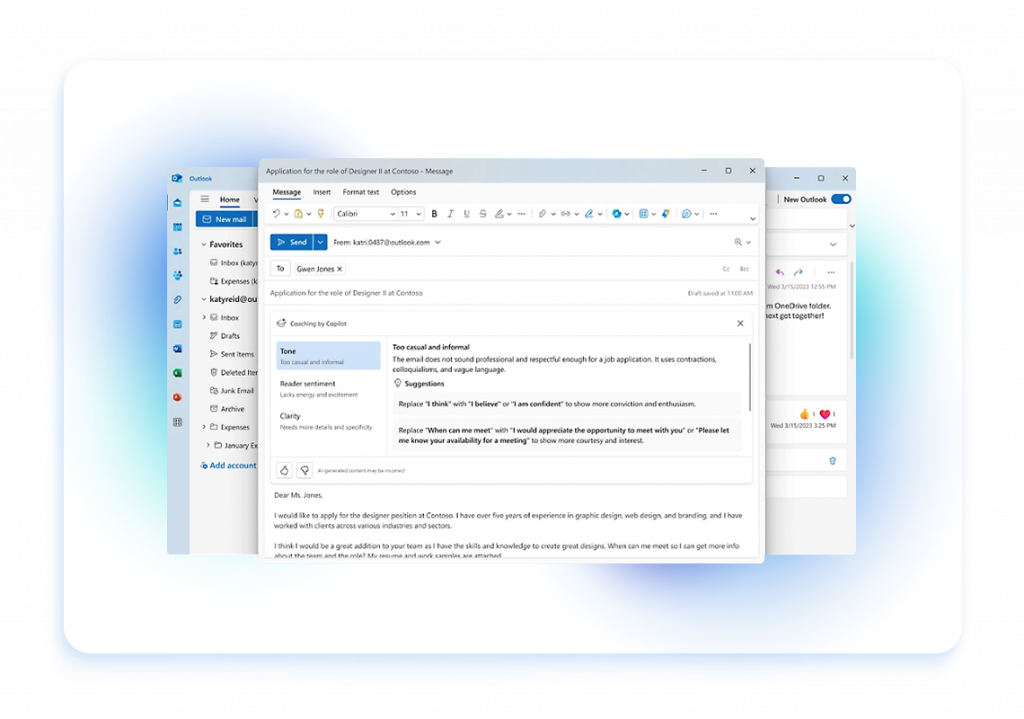
With seamless Microsoft 365 integration, Sii enables teams to instantly access relevant documents, emails, and chat history in Teams, Outlook, and SharePoint. AI-driven suggestions bring up the right files and messages based on conversations, while automated summaries keep everyone aligned on meetings and discussions, eliminating manual searching and enhancing collaboration. Sii experts configure Copilot to further optimize workflows, manage permissions, and automate key processes like onboarding and task assignments.

Better time management
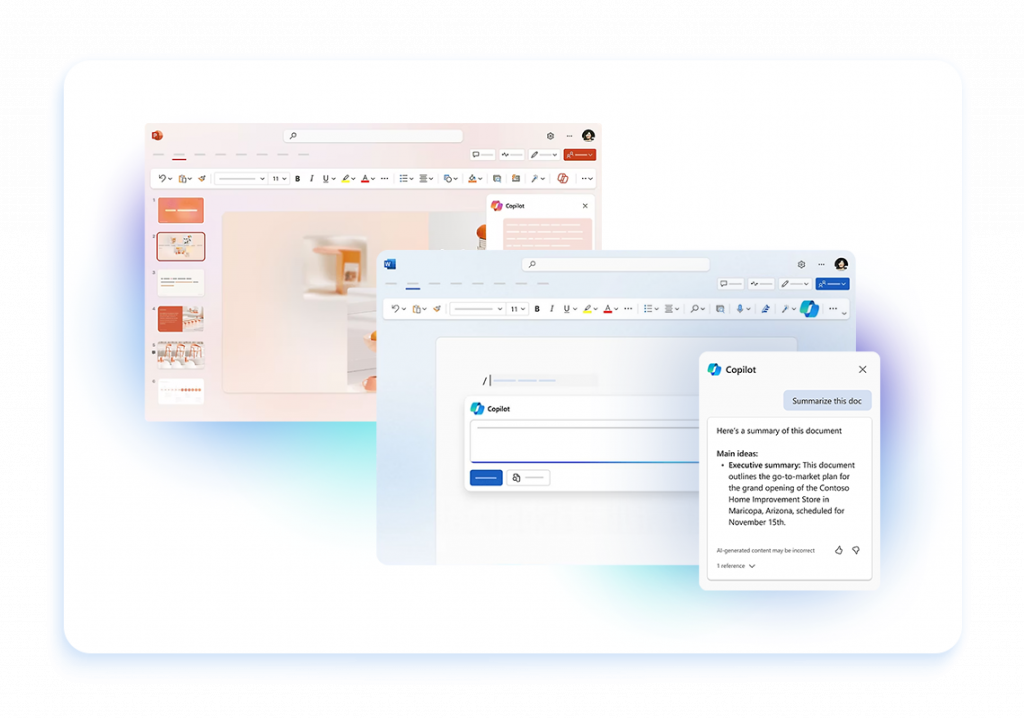
We’ll help you reclaim valuable time – by automating document creation for reports, PowerPoint presentations, and project plans. Copilot for Microsoft 365 acts as your AI-powered assistant, summarizing documents, capturing key meeting points, and assigning tasks instantly. Let’s streamline your workflow, so your team can focus on impactful work instead of repetitive tasks.
Enhanced creativity with AI-powered insights
Without realizing it, your company may be held back by fragmented data, unclear insights, and inefficient trend analysis, leading to missed business opportunities. Sii specialists integrate Copilot with your CRM and ERP systems to enhance data analysis, identify key trends, and refine strategies for business transformation. Our Data and Automation experts provide you with tools to make smarter, more informed decisions and drive innovation.
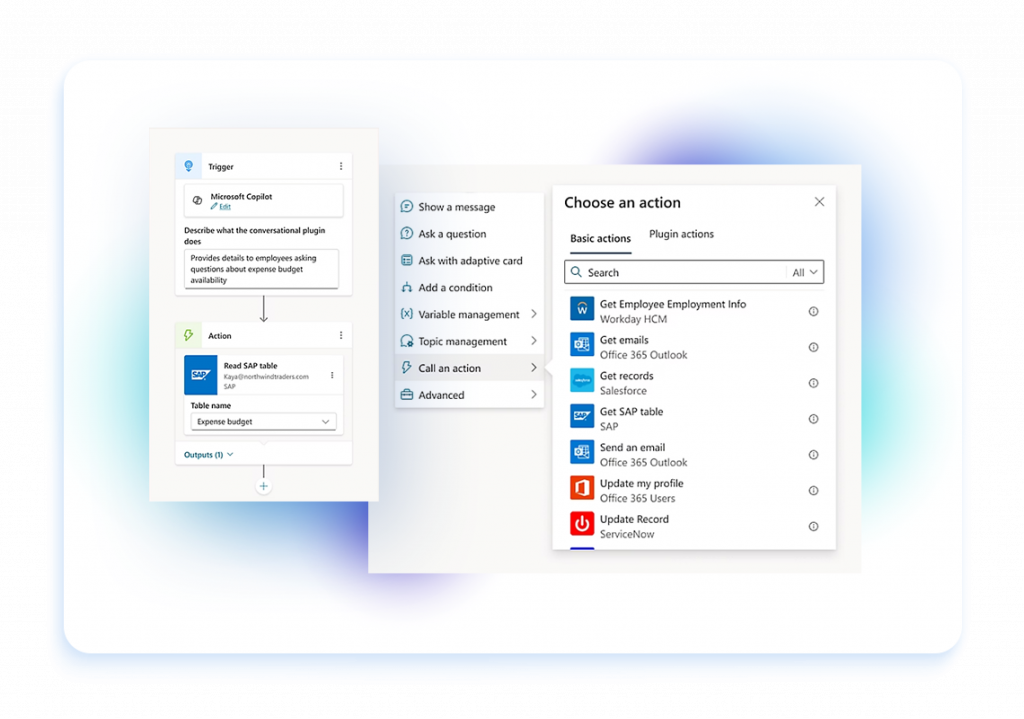
Business processes automation
We’ll help you streamline operations – from approving requests to processing orders and managing projects. Our experts configure Copilot to automate critical tasks like retrieving invoices from your inbox, assigning them to the right team members, and reducing manual effort. With built-in compliance and security standards, we ensure your workflows are not only more efficient but also secure, keeping your business running smoothly at every level.
Microsoft 365 Copilot Readiness, enhanced with AvePoint solutions
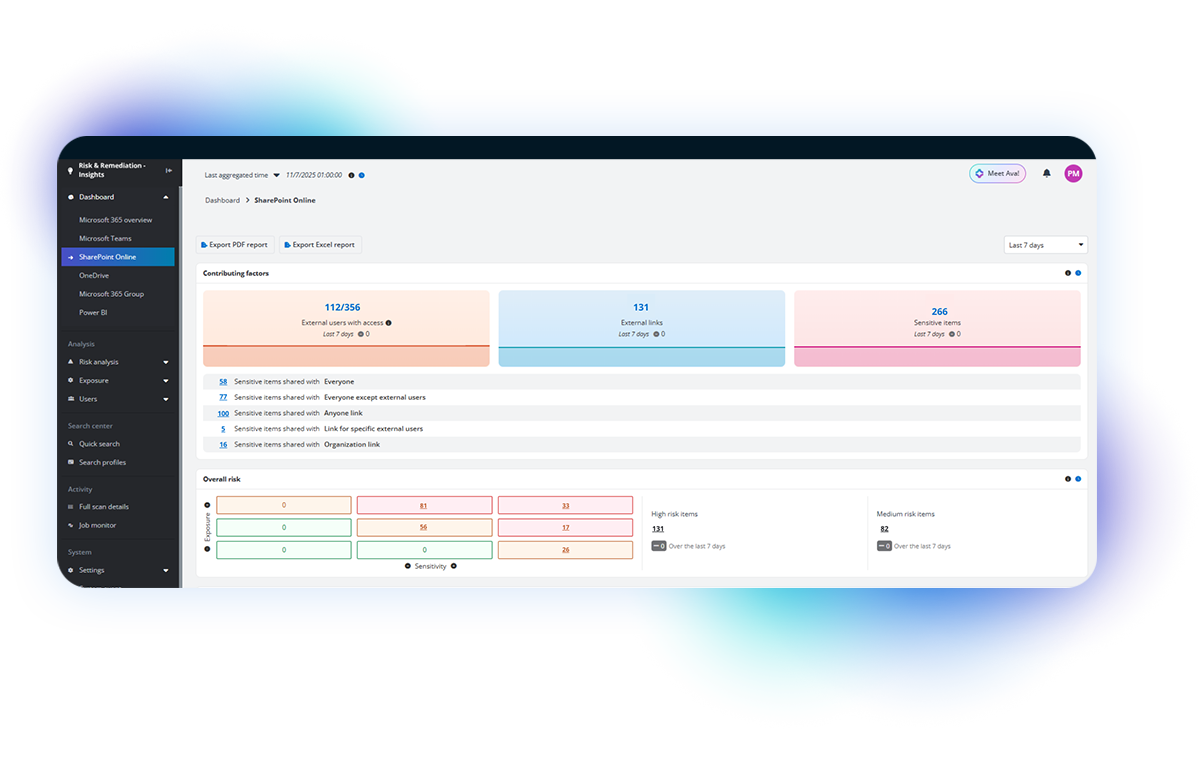
We prepare your Microsoft 365 environment so Copilot can operate securely, effectively, and without unnecessary chaos. We analyze data, permissions, and processes to identify areas that need cleanup, automation, and stronger security controls. As an AvePoint Partner, we deliver an interactive dashboard that clearly shows where sensitive data resides, the level of risk, and where immediate action is required. Administrators can respond instantly, often with a single click. The entire audit and reporting process is fully automated, allowing IT teams to regain valuable time and focus on what truly matters to the business.
WHY PARTNER WITH SII FOR MICROSOFT COPILOT PROJECTS
Trusted AI partner
With eight Microsoft Solutions Partner designations, Sii is your trusted expert in Microsoft AI-driven solutions like Copilot. With direct access to Microsoft’s cloud experts and funding programs, we ensure that your Copilot deployment is truly aligned with your workflows and brings measurable results.
Expert guidance on Microsoft licenses
We provide expert Microsoft licensing advisory tailored to your business needs, making sure you only pay for what delivers value. Sii Microsoft experts analyze your usage, optimize licensing models, secure exclusive promotions, and eliminate unnecessary costs while ensuring compliance. Whether you need Copilot, Power BI, Teams, or Microsoft Viva, we align your licenses with your goals, giving you access to AI-driven tools across your entire Microsoft ecosystem.
Strategic Copilot deployment assistance
From Copilot readiness assessments to full deployment, Sii provides comprehensive Microsoft 365 Copilot implementation services. Our experts handle everything – from planning and setup to integration and employee training. We make sure your team understands how to use Copilot effectively so you can start seeing real benefits right away.

Microsoft Case studies
BENEFIT FROM OUR MICROSOFT COPILOT SERVICES
See how we do it step by step
MICROSOFT COPILOT NEWS & PROJECTS

AI Center of Excellence: How to scale AI for business value?
Read more
AI Center of Excellence: How to scale AI for business value?
Read more
Intelligent integration: How AI is revolutionizing IT
Read more
Tester’s Day: Practical AI toolkits for software testing
Read more
Sii Testing Lab Study: Exploring the "AI Boom" in Test Automation
Read more
PMO in the age of AI – less reporting, more business value
Read more
All certifications are scams
Read moreWHAT YOU NEED TO KNOW
Read out FAQ
Microsoft Copilot is an AI-powered assistant integrated into Microsoft 365 applications like Word, Excel, PowerPoint, and more. It leverages advanced generative AI to help users create, edit, and analyze content more efficiently. Whether drafting documents, generating reports, or creating presentations, Copilot assists by suggesting text, summarizing data, automating repetitive tasks, and providing real-time insights. Designed to enhance productivity, Microsoft Copilot works alongside you, making it easier to accomplish tasks and optimize your workflow.
Implementing Microsoft Copilot in your business offers several key benefits. It enhances productivity by automating routine tasks like drafting documents and analyzing data, allowing your team to focus on higher-value work. Copilot provides real-time insights and suggestions, helping users make informed decisions quickly. It also improves accuracy and consistency across documents and presentations by offering AI-driven content generation and editing support. Additionally, Copilot fosters collaboration by making it easier to create and share content across teams. Overall, Microsoft Copilot streamlines workflows, reduces manual effort, and boosts overall efficiency in your business operations.
Microsoft Copilot seamlessly integrates with Microsoft 365 applications like Word, Excel, PowerPoint, Outlook, and Teams. It appears directly within the user interface of these apps, providing AI-powered assistance as you work. For example, in Word, Copilot can help draft and edit documents, while in Excel, it can analyze data and generate insights. In PowerPoint, Copilot assists with creating presentations, and in Outlook, it helps manage emails and schedules. This integration allows you to access Copilot’s features without leaving the Microsoft 365 environment, making it easy to enhance your productivity and streamline your workflow across the entire suite of tools.
Microsoft Copilot integrates with the Power Platform by enhancing the capabilities of tools like Power Automate, Power Apps, and Power BI with AI-driven insights and automation. In Power Automate, Copilot can help create and optimize workflows by suggesting automations based on your business processes. In Power Apps, it assists in building applications by generating code snippets and offering design recommendations. For Power BI, Copilot can analyze data and generate visualizations, making it easier to create insightful reports. This integration allows users to harness AI within the Power Platform, enabling more efficient app development, data analysis, and process automation.
Microsoft Copilot integrates with Microsoft Dynamics 365 by embedding AI-powered assistance directly into the Dynamics 365 applications you use for customer relationship management (CRM) and enterprise resource planning (ERP). In Dynamics 365 Sales, Copilot helps sales teams by generating contextual emails, summarizing meetings, and providing real-time insights on customer interactions. In Dynamics 365 Customer Service, it assists support agents by suggesting responses, automating ticket resolution, and analyzing customer sentiment. For Dynamics 365 Finance, Copilot can automate financial reporting and highlight key trends. This integration enhances decision-making, improves customer interactions, and streamlines operations within Dynamics 365, enabling you to maximize the value of your business data.
We invite you to experience how Copilot can enhance productivity and streamline your workflows firsthand. Our team offers personalized demos tailored to your business needs, showing you how Copilot integrates with Microsoft 365, Power Platform, and Dynamics 365. To learn more and see Copilot in action, contact us to schedule a demo and explore how this AI-powered tool can transform your business.