


























Cassandra is a popular NoSql database technology which allows an easy configuration of many instances (nodes) providing high scalability and performance. To start work, visit planet cassandra to get the community edition or use directly UNIX command prompt following Installing Cassandra on Ubuntu.
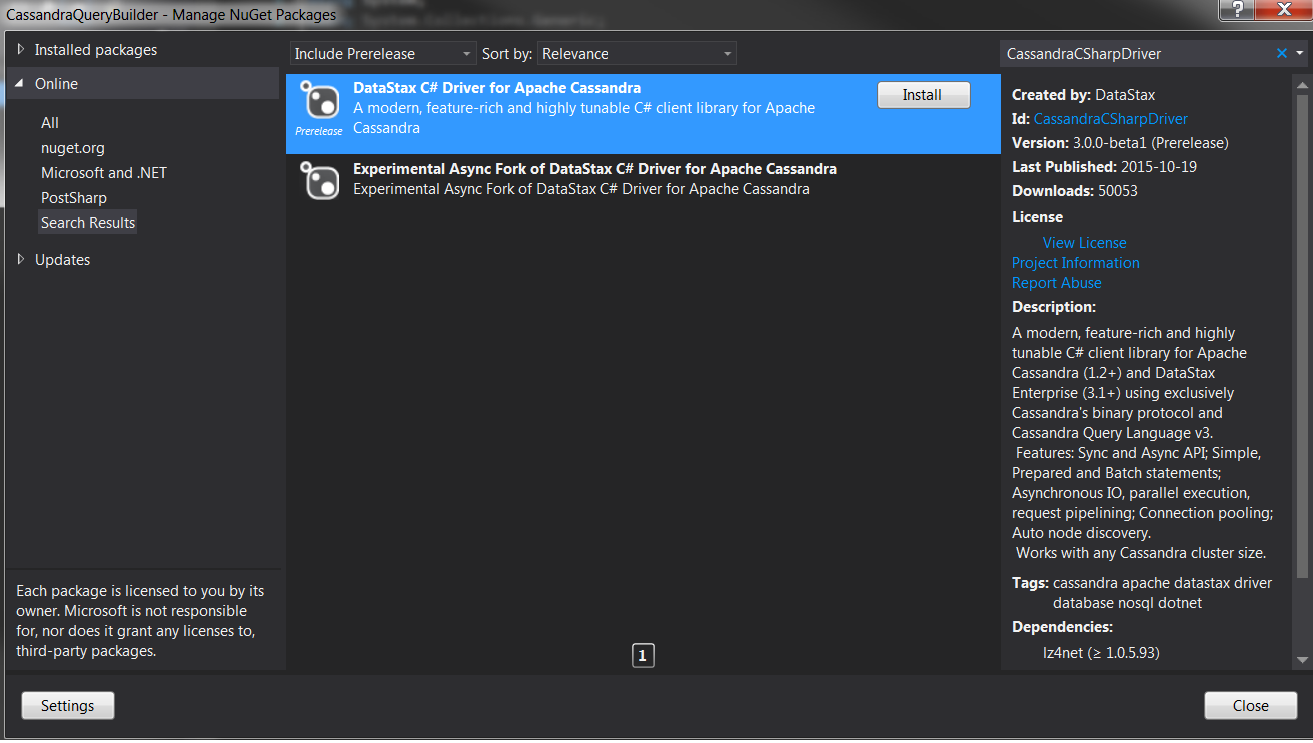
There is a driver that lets you work with .NET technology with C# syntax wery well, just download the nuget package using command prompt “Install-Package CassandraCSharpDriver” or use the GUI version:
DevCenter is worth checking, this tool allows a user to create and run Cassandra Query Language (CQL) against Apache Cassandra. It’s similiar to MS ManagementTools, but unfortunately the free version is very poor.
In this article I am not going to focus on Cassandra database engine itself, but how to use it from .NET Framework, so it’s dedicated to .NET Developers. I’ve chosen a fluent interface builder pattern to encapsulate the logic of a batch statement (Insert, Update, Delete) that combines multiple data operations into one logical and atomic statement.
Firstly, let’s set up a keyspace and create a session
var builder = Cluster
.Builder()
.AddContactPoint("127.0.0.1")
.WithQueryOptions(new QueryOptions().SetConsistencyLevel(ConsistencyLevel.One))
.WithLoadBalancingPolicy(new RoundRobinPolicy())
.WithDefaultKeyspace("Cassandra_Demo");

var cluster = builder.Build();
_session = cluster.ConnectAndCreateDefaultKeyspaceIfNotExists();
Now we’re ready to put together C# and Cassandra so, let’s write a method to create a simple User table:
public static void CreateUserTableIfNotExists(ISession session)
{
session.Execute("CREATE TABLE IF NOT EXISTS User (
id UUID PRIMARY KEY,
firstname varchar,
lastname varchar,
country varchar,
isactive boolean);"
);
}
To populate our table with some data, I am going to create a query using fluent api, the builder class can set up multiple parameters and takes the following form
public class GenerateUsersQueryBuilder : QueryBuilderBase
{
private int _limit;
private string _country;
BatchType _batchType = BatchType.Unlogged;

public GenerateUsersQueryBuilder SetLimit(int limit)
{
_limit = limit;
return this;
}
public GenerateUsersQueryBuilder SetBatchType(BatchType batchType)
{
_batchType = batchType;
return this;
}

public GenerateUsersQueryBuilder FromCountry(string country)
{
_country = country;
return this;
}

public override CassandraQuery Build()
{
var sb = new StringBuilder();
sb.AppendLine("BEGIN " + (_batchType == BatchType.Counter ?
"COUNTER " : "UNLOGGED ") + "BATCH");

for (int i = 0; i < _limit; i++)
{
sb.AppendLine(string.Format(
"INSERT INTO user (id, firstname, lastname, country, isactive) VALUES
({0}, '{1}', '{2}', '{3}', {4})",
Guid.NewGuid(),
string.Format("FirstName{0}", i + 1),
string.Format("LastName{0}", i + 1),
_country,
i % 2 == 0));
sb.AppendLine(";");
}

sb.Append("APPLY BATCH");

return new CassandraQuery() { Text = sb.ToString() };
}
}
Now we are able to create and populate the table with the following code
QueryTools.CreateUserTableIfNotExists(_session);

CassandraQuery query = new GenerateUsersQueryBuilder().FromCountry("Canada")
.SetLimit(_limit).SetBatchType(BatchType.Unlogged)
.Build();

_session.Execute(query.Text);
Of course later on, we want to fetch and display results in the output programmatically, so I created some helper method to map data from the rowset into domain model
RowSet rsUsers = _session.Execute(string.Format("SELECT * FROM user LIMIT {0}", _limit));

var users = new List<UserModel>();
foreach (var userRow in rsUsers)
{
users.Add(ReflectionTools.GetSingleEntryDynamicFromReader<UserModel>(userRow));
}

foreach (UserModel user in users)
{
Console.WriteLine("{0} {1} {2} {3} {4}",
user.Id, user.FirstName, user.LastName, user.Country, user.IsActive);
}
As we see, the code works well
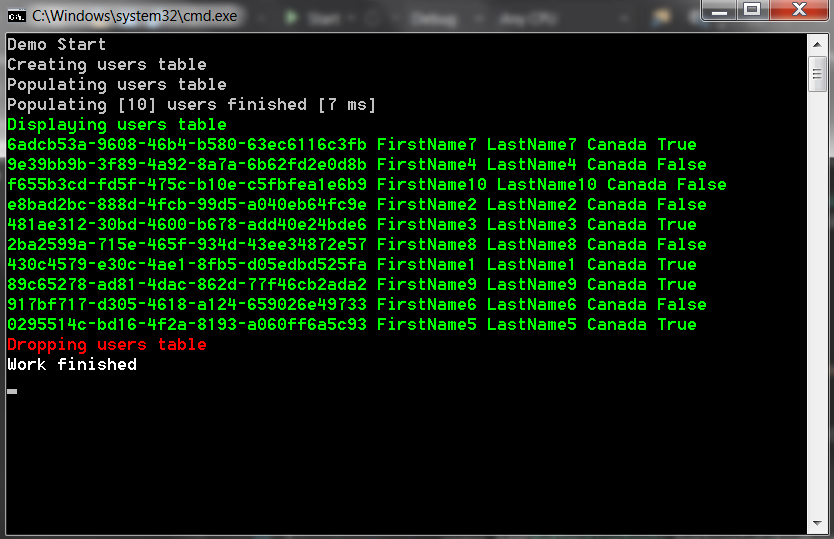
Full source code from this article is avaliable here.













Leave a comment